
You usually can’t prove AI use from one red flag. A tab switch or a fast answer means little on its own. What works is combining several signals, such as browser activity, how an answer was typed or pasted, and webcam behavior, then checking flagged candidates with a short live follow-up where they explain their work. Better still, design tests that are hard for AI to answer in the first place.
Table of Contents
Here’s a scenario plenty of hiring teams will recognize. A candidate scores 96% on a remote Python test, one of the best results that quarter. In the follow-up call, the hiring manager asks him to talk through one of his answers. He can’t explain a function he supposedly wrote forty minutes earlier.
Nobody saw him cheat. The test simply had no way of knowing who, or what, wrote the code. That’s the gap most remote assessments have today. Below, we’ll look at how to spot AI use, why proctoring on its own isn’t enough, and how to design tests that hold up.
Key Takeaways
- Candidates are using AI during remote tests, and most traditional assessments can’t tell the difference.
- No single behavior, such as looking away or switching tabs, is reliable proof of AI use on its own.
- Combining several independent signals and reviewing them as a human is far fairer and more accurate than auto-rejecting on one flag.
- The strongest defense is test design: job-specific tasks and a live follow-up where candidates explain their answers.
- For roles where AI is part of the job, measuring how well candidates use it is often more useful than trying to block it.
How common is AI used during remote hiring tests?
More common than most teams assume, and it’s showing up at every stage of candidate screening.
A Gartner survey of 3,290 candidates found that 39% used AI during the application process. Among those who did, 29% used it to generate answers to assessment questions. A separate Gartner survey found 6% of candidates admitted to interview fraud, either posing as someone else or having someone stand in for them. Gartner now predicts that by 2028, one in four candidate profiles worldwide will be fake.
Hiring managers are noticing. In Greenhouse’s 2025 AI in Hiring Report, which surveyed more than 4,100 people across four countries, 65% of hiring managers said they had caught applicants using AI deceptively. The most common examples were reading from AI-generated scripts (32%), hiding prompt injections in resumes (22%) and showing up as deepfakes (18%).
Part of the problem is that AI is now good at a lot of what tests ask. Xobin Research tested 683 skill groups against AI tool and agent workflows for its Human vs AI Skills Report 2026, and 72% could be fully or partly delegated to AI under test conditions. If your test measures one of those skills without supervision, you may be grading the tool. It’s why some assessment platforms now block AI assistants the moment a proctored test begins.
What are the signs a candidate used AI on a test?
There’s no single giveaway, but some patterns come up again and again. Here’s what each one can tell you, and why none of them settles the question alone.
| Signal | What it can point to | Why it isn’t proof on its own |
| Tab or window switching | Looking up answers or using a chatbot | People also check notifications or misclick |
| Large blocks of text or code appearing at once | Pasting a generated answer | Some candidates draft offline, then paste |
| Eyes repeatedly drifting to one spot off-screen | Reading from a second screen or phone | Some people look away to think |
| A second voice or device in the room | Outside help, human or AI | Background noise is common at home |
| Polished, generic answers with no personal detail | AI-written responses | Strong writers can sound polished too |
| Contradictory answers in a personality test | Gaming the test with suggested “ideal” answers | Fatigue or rushing can cause inconsistency |
| A big drop between test score and live follow-up | The test score didn’t come from the candidate | Nerves affect live conversations |
The last row is the most telling in practice. If someone can’t explain an answer they submitted an hour ago, that’s a stronger signal than any flag in the proctoring log.
Some of these signals can be captured automatically. Xobin’s cheating prevention features, for example, include code playback, which lets reviewers replay how a coding answer was put together, and a consistency checker that spots contradictory answers in psychometric tests.
Why can’t one red flag prove AI use?
Because honest candidates trip single signals all the time. Someone with a second monitor, a candidate who looks at the ceiling while thinking, a parent whose child walks into the room. If any one of those triggers an automatic rejection, you’ll lose good people and invite complaints, and you’ll still miss the careful cheaters.
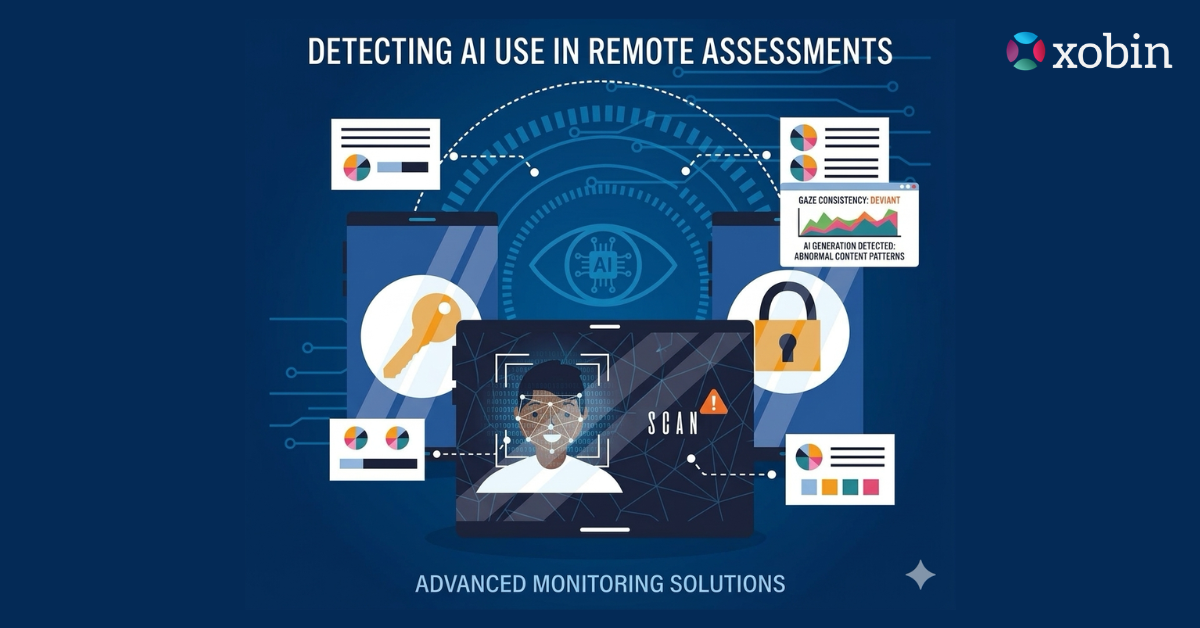
The fairer approach is to treat each signal as one piece of evidence. Xobin Research describes its own proctoring approach this way: face presence, tab activity, network anomalies, copy-paste behavior and content matching are treated as independent indicators, and a session is flagged only when the combination crosses a documented threshold. The hiring team then gets a proctoring summary with the score, showing what was monitored, what was flagged, the confidence level and a full timeline.
That last part matters. A flag should start a conversation, not end one.
How do you make remote assessments harder to fake?
Detection helps, but design does more of the work. A test that’s hard to answer with AI in the first place means you don’t have to rely on catching anyone.
Tell candidates what’s allowed
Many candidates genuinely don’t know whether using AI on a test is acceptable. Spell it out in the invite: what’s allowed, what isn’t and how the session is monitored. Gartner recommends exactly this, explaining how you define acceptable AI use and being open about your fraud checks. Clear rules also make enforcement fairer when something does get flagged.
Match security to the stakes
A five-minute screening quiz and a final-round technical screening exam shouldn’t be locked down the same way. For low-stakes steps, webcam snapshots and tab tracking may be enough. For high-stakes ones, add identity checks, an environment scan, a lockdown browser that blocks other apps and AI proctoring that watches for extra faces, devices and off-screen reading.
Learn how online proctoring helps reduce cheating in our guide to preventing cheating in proctored exams. To understand why some unsuitable candidates still make it to interviews, read our article on the gaps in candidate screening.
Write questions AI struggles with
Generic questions get generic AI answers. Job-specific ones are harder to fake. Use your own scenarios, messy real-world data and tasks that depend on context only someone paying attention would have. Randomizing questions from a large bank also means candidates can’t share answers or look them up in advance.
Look at how answers were built
A final answer tells you very little about who produced it. Replaying how code was written, or checking whether a long answer appeared in one paste, tells you a lot more. So does timing that doesn’t fit the difficulty of the question.
Follow up live
This is the simplest check, and one of the most reliable. Ask flagged or top-scoring candidates to walk through one or two of their answers. Why did they choose that approach? What would they change if the input doubled? A structured follow-up, whether with a person or through guided AI interviews that adapt the next question to each answer, quickly separates someone who did the work from someone who copied it. Our guide to how AI interviewing works covers the formats in more detail.
Keep a human in the decision
Proctoring tools should surface evidence. People should make the call, using the full session record and, where needed, a short conversation with the candidate. That protects honest applicants and keeps your process defensible if a decision is ever challenged.
Want to see what a fair, AI-aware assessment looks like?
Xobin combines lockdown browsing, AI proctoring and session-level integrity reports with role-specific tests and structured AI interviews. Book a 30-minute personalized demo to see the integrity report for a real test session.
Should you ban AI on tests or measure how candidates use it?
It depends on the skill you’re testing. If you need to know whether a nurse understands dosage calculations, or whether an analyst can spot a flawed assumption without help, block AI and proctor the session properly.
But for many roles, using AI well is now part of the job. Banning it in the test while expecting it at work sends a mixed message. Hiring teams are already adjusting. In Xobin’s own data, AI-assisted coding tasks such as generating, testing, debugging and explaining code went from under a quarter of technical assessment requests in early 2024 to between 50% and under 75% in early 2026.
A middle path works well for a lot of teams: run one proctored section with AI blocked to check core knowledge, then a second task where AI is allowed and you score how the candidate prompts it, checks its output and fixes its mistakes. An AI fluency assessment is built for exactly that second part.
In-person rounds are another option for final stages. They’re not practical for every role, but candidates don’t seem to mind them. Gartner found 62% of candidates said they’re more likely to apply to a position if the employer requires in-person interviews.
What should your AI policy for candidates actually say?
Most test invites say something vague like “please complete this independently.” That leaves honest candidates guessing and gives everyone else an excuse. A short, specific policy works better. Here’s sample wording you can adapt for each stage of your process:
- Application and resume: You’re welcome to use AI tools to improve the wording of your resume or cover letter. Everything in them should describe your own experience.
- Skills assessment: Please complete this test without AI tools, other people or outside help unless a question says otherwise. The session uses webcam and browser monitoring, and flagged sessions are reviewed by a person before any decision is made.
- AI-allowed tasks: For this task, you may use any AI assistant. We’ll look at how you guide it, check its output and fix what it gets wrong, not just the final result.
- Interviews: Please answer in your own words, without AI tools running during the conversation. We may ask you to walk us through answers from your earlier assessment.
Two details make this work. Put it in the invite email, not just a terms page, and repeat the relevant line on the first screen of each test. Then make sure your process actually matches what you’ve promised, especially the part about a person reviewing flags.
Make every remote score one you can trust
Xobin has run more than 5.3 million assessments, with integrity controls that scale from a quick screening quiz to a high-stakes final round. Lockdown browsing, AI proctoring, code playback and session-level integrity reports sit alongside 3,400+ skills tests and structured AI interviews.
Book your 30-minute personalized demo and we’ll walk you through an integrity report from a real assessment.
Frequently asked questions
Can AI proctoring detect ChatGPT use?
Not directly. Proctoring detects behaviors linked to AI use, like switching tabs, pasting large answers or reading off-screen. Combining those signals with a live follow-up is what gives you confidence.
Is it fair to reject a candidate for one proctoring flag?
Usually not. Single flags have innocent explanations. Review the full session and, where needed, give the candidate a chance to explain their answers before deciding.
What should you do if a top-scoring candidate gets flagged?
Don’t reject on the basis of the flag alone. Review the session timeline, then invite the candidate to a short call to walk through their answers. If they can explain their work clearly, the flag was most likely innocent.
Should candidates be told the test is monitored?
Yes. Telling candidates upfront what’s allowed and how sessions are monitored deters misuse and makes any later decision fairer.