
Forms that buildthemselves.
Describe the candidate form you need in a sentence. XoForms builds it, shares it and helps you review every response.
How it works
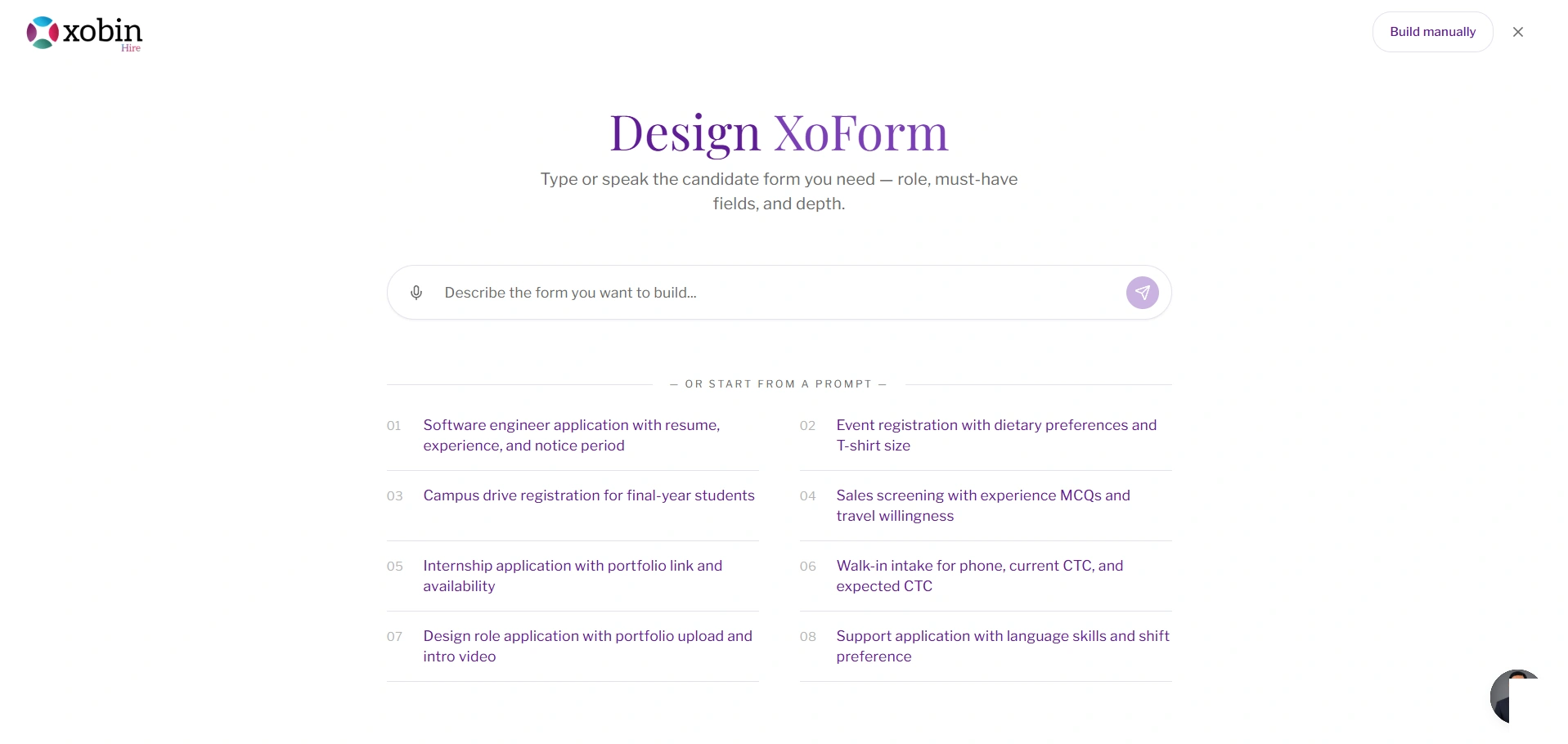
Say what you need. Skip the field-by-field.
Type or speak the form you want: the role, the must-have fields and how deep to go. Or start from a ready prompt.
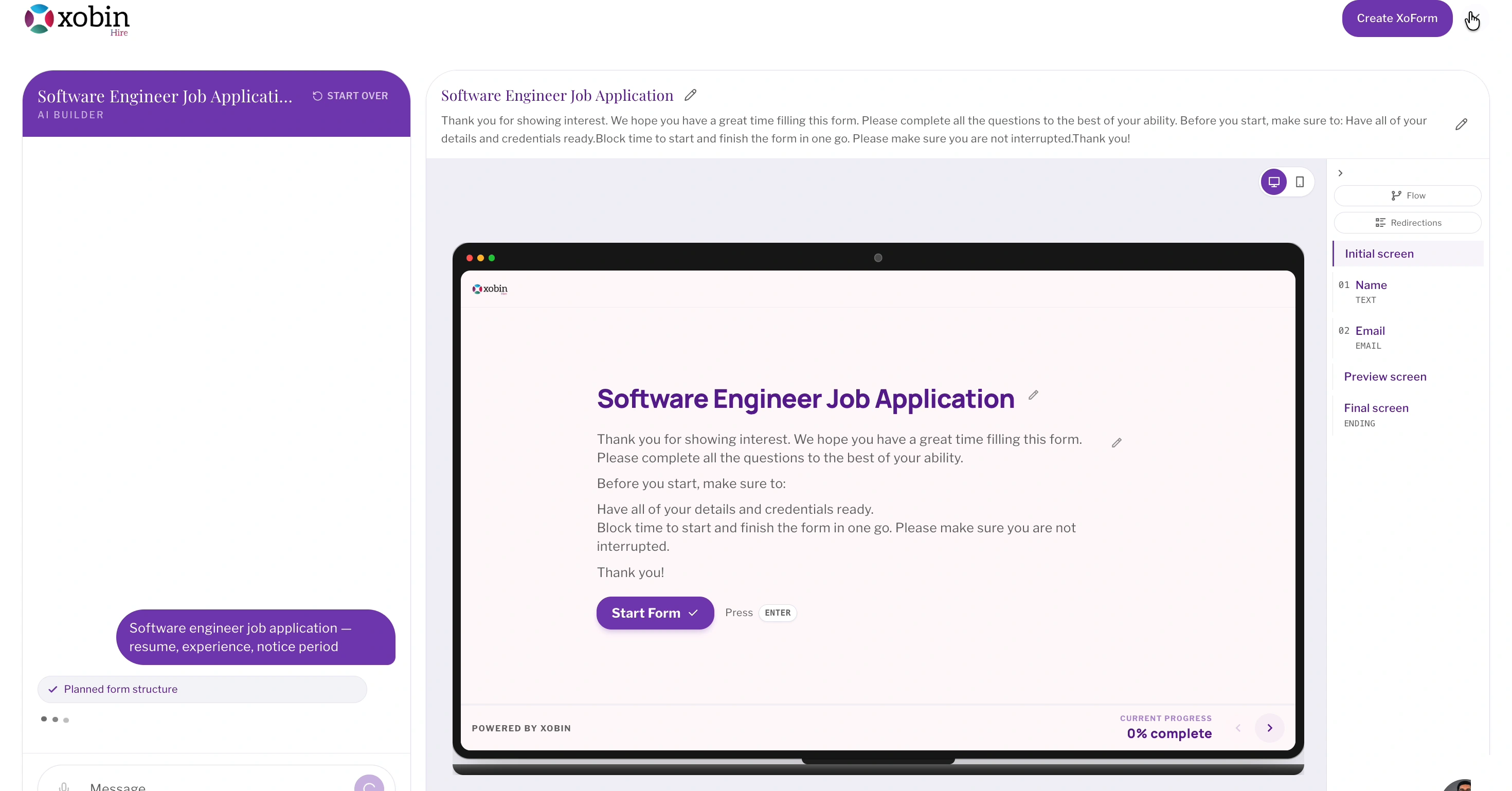
One prompt. A complete candidate journey.
XoForms maps everything from the welcome screen to the final submission, with each question set to the right type: text, phone, email, resume or number.
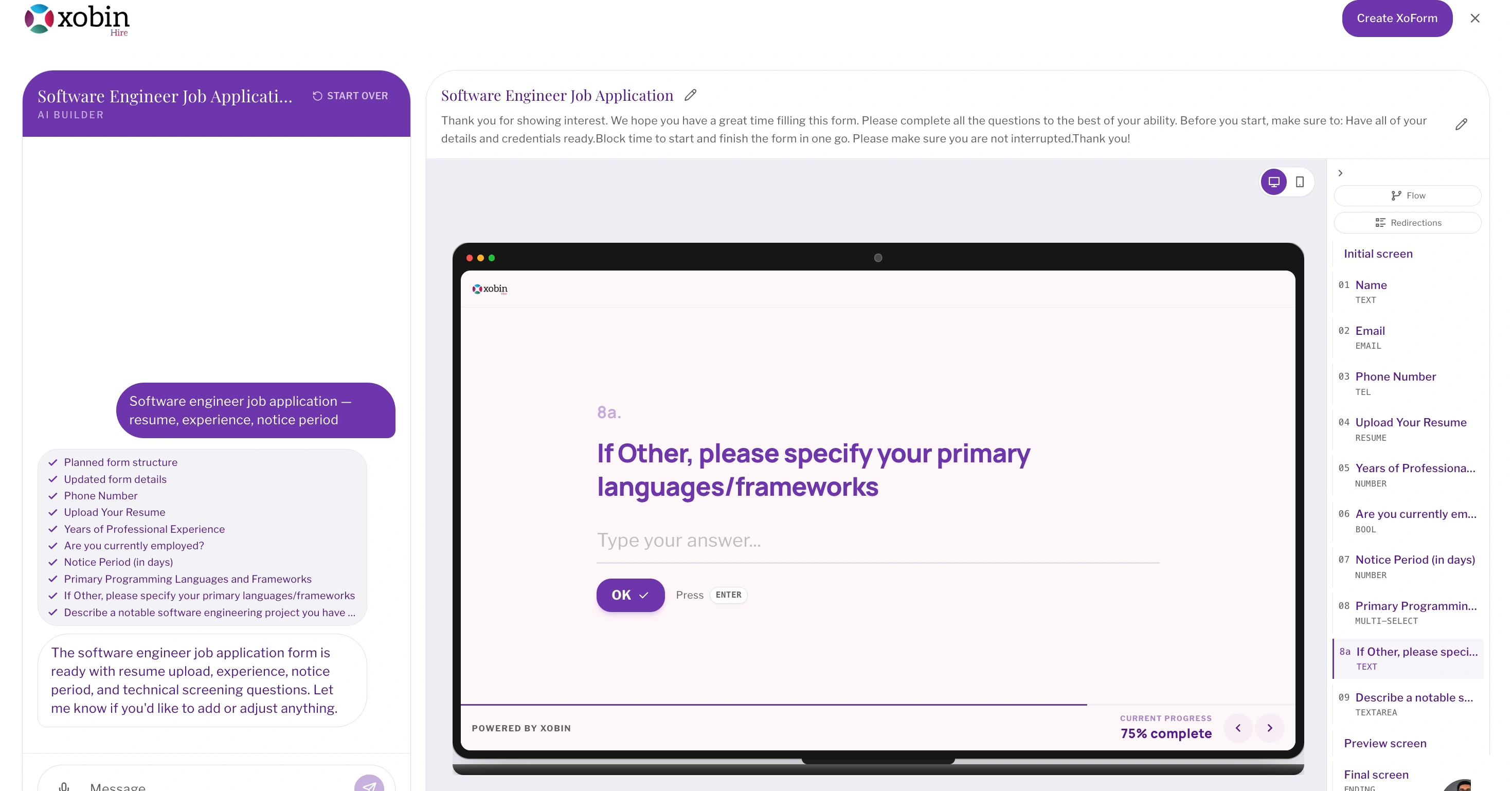
Change it by asking. Never start over.
Use the AI builder to add questions, tighten criteria or adjust rules in plain language, and watch the preview update live.
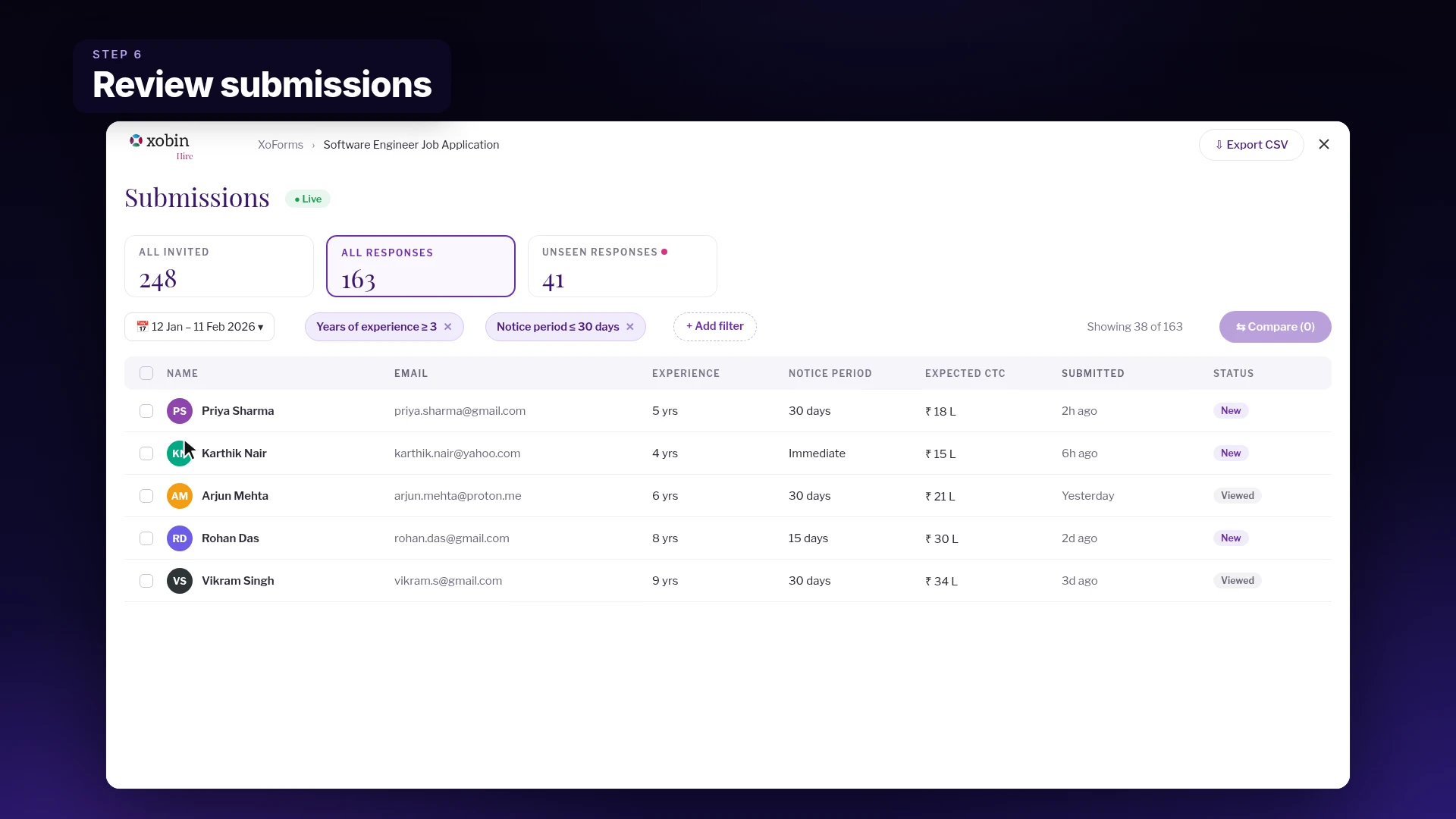
Share once. See who stands out.
Send the link, then track invited, responded and unseen candidates. Filter by answers like experience or notice period and compare people side by side.
The old form asks. XoForms understands.
Same role. Two ways to get there. Build a list of fields, or describe the candidate journey you want.
A conventional form
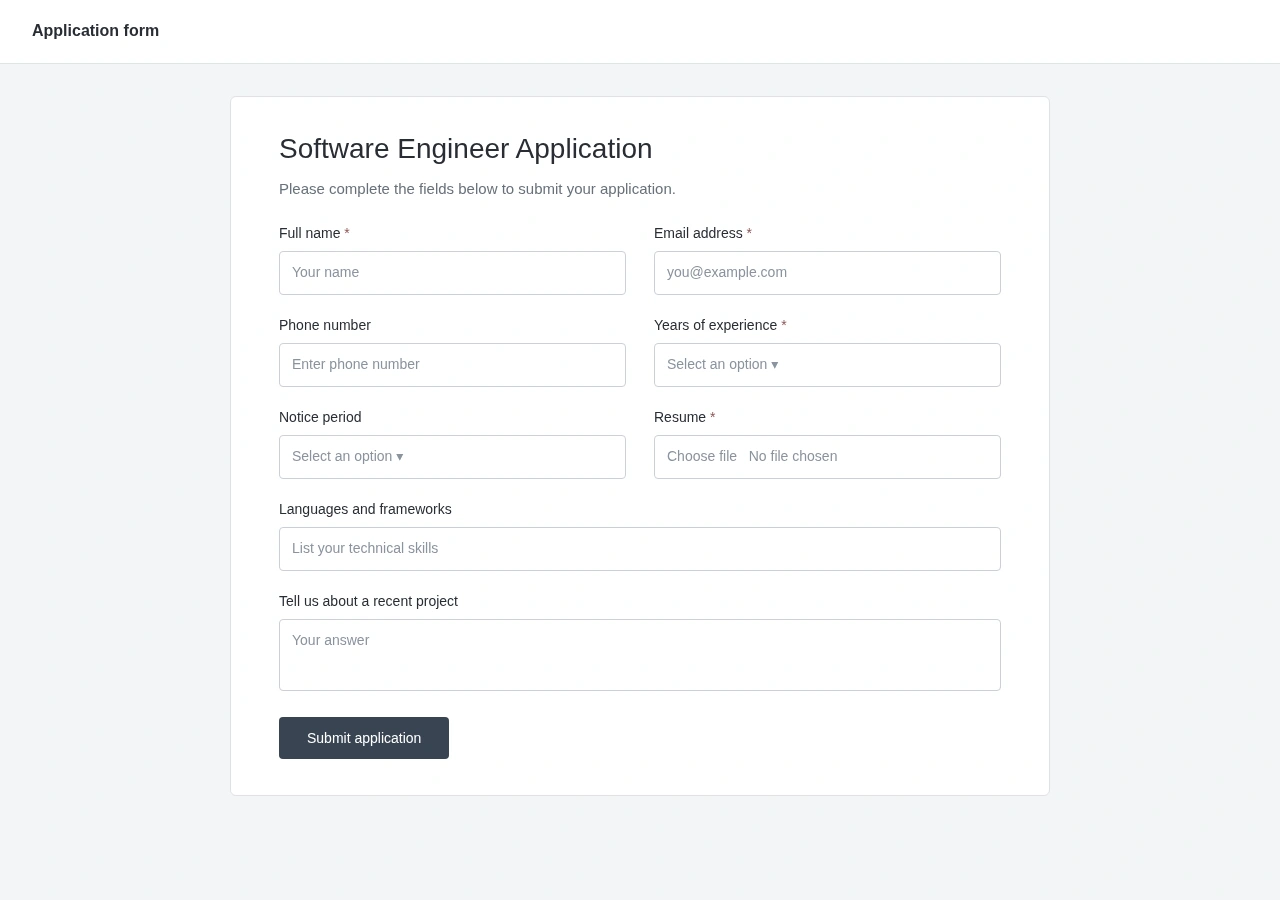
Every field, built by hand.
Labels, answer types and required fields. Set each one up, then assemble the application.
The XoForms way
One sentence. A whole journey.
Describe the role. Get a typed question flow, preview the candidate experience and refine it in plain language.
XoForms is an AI form builder for candidate intake. You describe the form you need, it builds the full candidate journey, and you review every response in one place.
Yes. You can type or dictate. Mention the role, the must-have fields and how deep you want to go for the best result.
Yes. Ask the AI builder to add, remove or change questions and rules in plain language, or switch to building manually.
Text, email, phone, number, yes or no, multiple choice, long answers, resume uploads and video answers, each with its own data type.
They open a shareable link and answer one question at a time, with a progress bar to show how far along they are.
The submissions view shows invited, responded and unseen candidates, lets you filter by any answer and compare people side by side.