

Yayy! We have made a bunch of value additions to our product. Here shall I walk-through our Monthly Product update.
TL;DR – Key Takeaways
- Xobin now lets users set an expiration time for every assessment invite sent through the platform.
- Users can also set start and end times for all assessments.
- The new People Center lists all candidates users have interacted with and brings each candidate's reports together in one place.
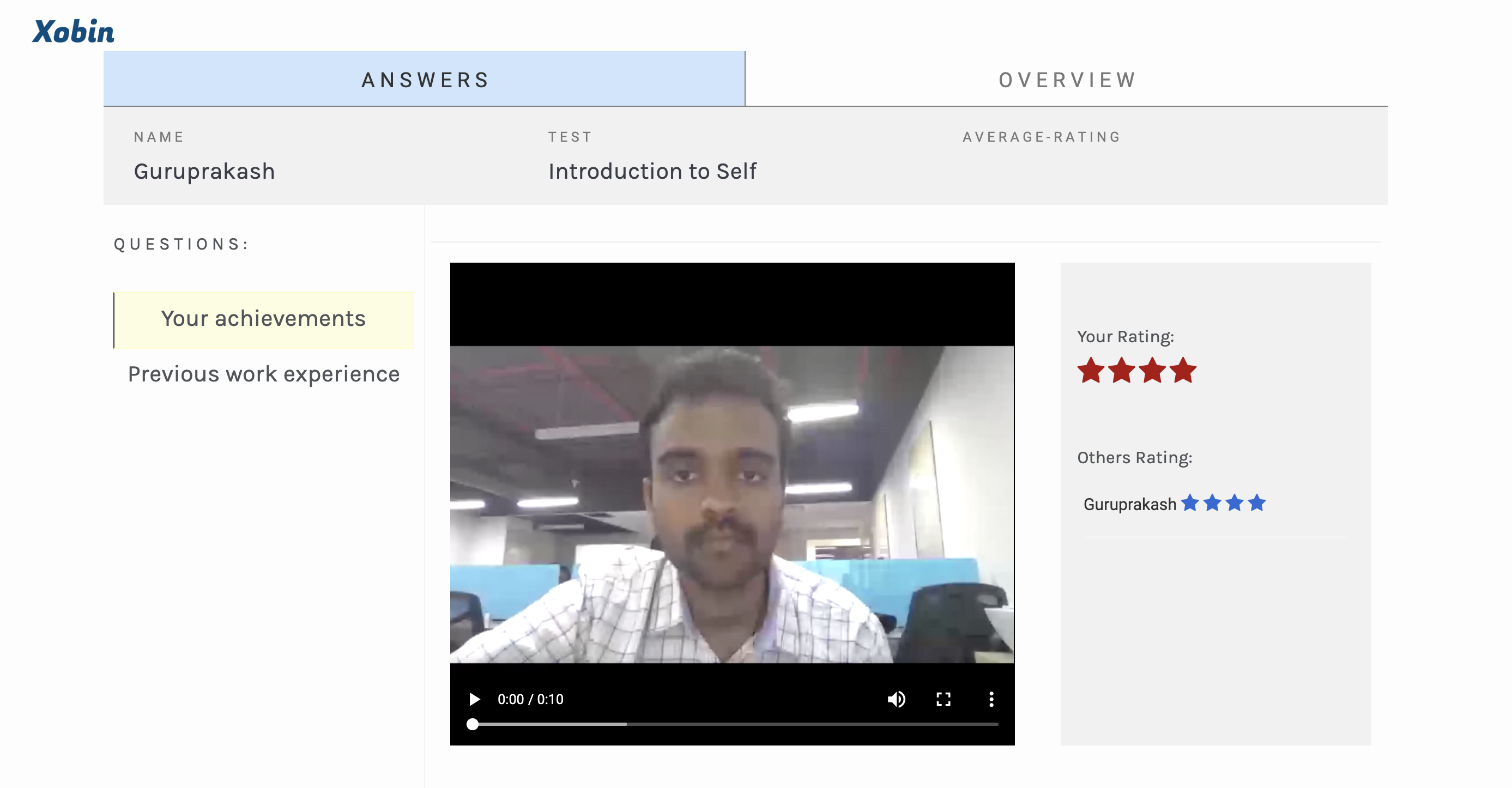
- The recorded video interviewing tool lets users record standard questions for remote interviews and candidates record their answers.
- Teams can collaborate to rate candidates' performance in recorded video interviews.
1. Set Assessment Link Expiration Time Window
You will now be able to set the expiration time for every invite you send through the platform. Additionally, you can also set the start time and end time for all the assessments.


2. People Center Feature
We have created a new place where you can find the list of all the candidates you have interacted with till date. You can also find all the reports of a particular candidates in a single place.

3. Recorded Video Interviewing Tool
Record standard questions that you’d want to ask your candidate in a remote interview. The candidate from the other end can record their answers to your canned questions.
You can collaborate with your teams to rate their performance.
If you haven’t tried Xobin yet, today is a good day. Signup for 14-day!