

We’re looking forward to sharing some exciting update with you at Xobin. We’re highlighting several highly requested product updates. We launched new features like Email notifications, Sending Test Reminders, and My Candidates. We can’t wait for you to see what’s new!
TL;DR – Key Takeaways
- Xobin’s updated email notifications let users turn off emails to reduce distractions in their work environment.
- The Sending Test Reminders feature lets users send reminder messages to candidates who have not completed a test.
- My Candidates lets users organize candidates by job position, shortlist them for interviews, or group them into batches of 100.
- Users can create candidate lists from CSV files and invite entire lists to multiple assessments without repeatedly uploading those files.
- Users can copy, move, remove, search, favorite, and sort candidates, export lists as CSV files, and delete lists when finished.
1. Email Notifications
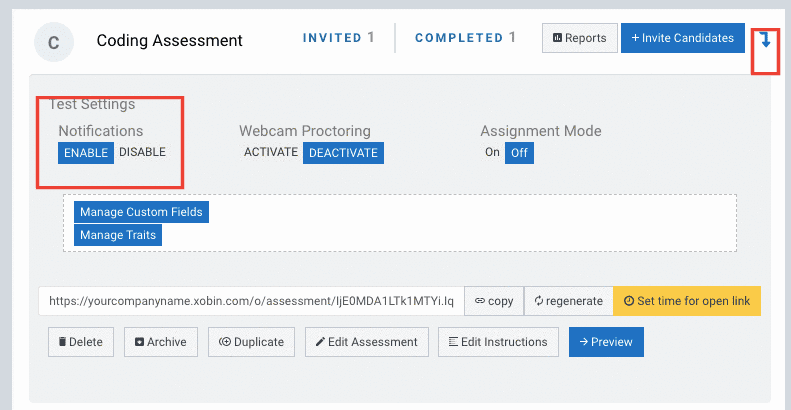
Now we understand how emails can be a cause of distraction. In a world where companies are trying to distract you from emails, we wanted to ensure you just read the important ones.
New Email Notification – These product update at Xobin lets you turn off emails so that you can have a distracting-free work environment.
2. Sending Test Reminders
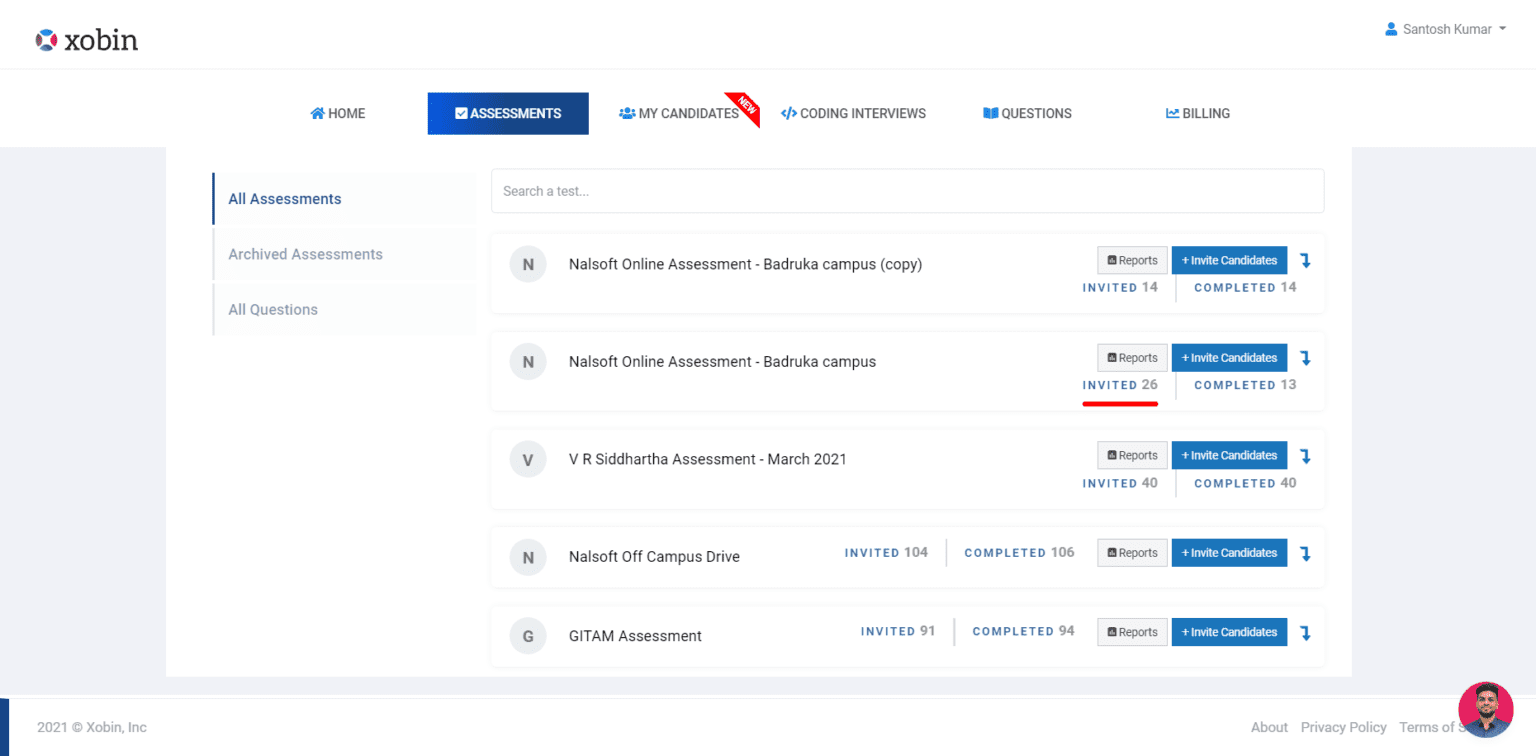
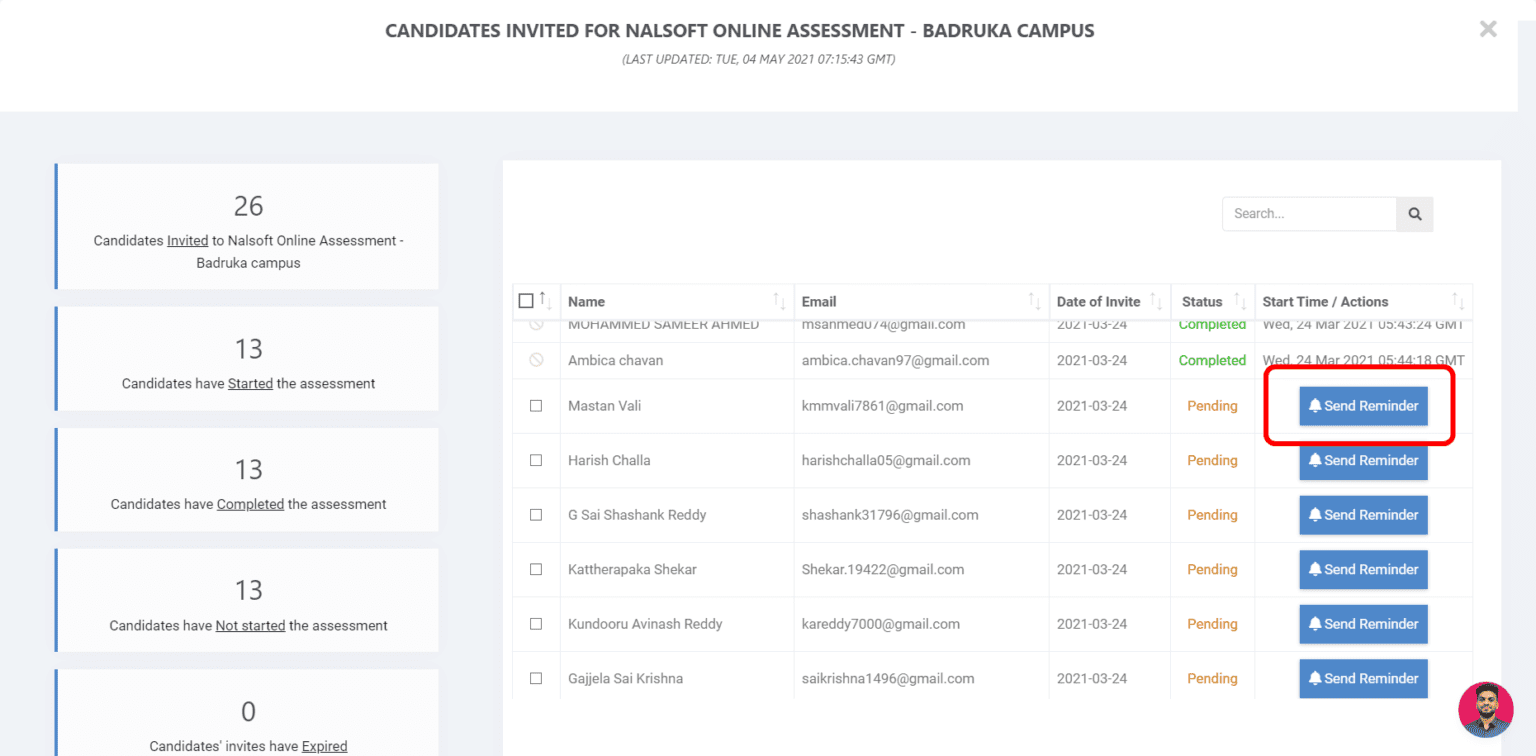
See now how to send candidates who haven’t completed a test reminder message. Follow the steps :

3. My Candidates

Users can create lists of candidates for various purposes, say,
- For different job positions and designations
- To shortlist the candidates and move them to the next round of interview
- For grouping candidates into groups of 100, useful for making sure that only 100 candidates at a time take a test.
- Create a list using a CSV file, and invite an entire list to any number of assessments. Eliminating the need to upload CSV files to invite candidates over and over again.
- Copy, move or remove candidates from existing lists or create a new list using selected candidates. it is useful during placement/recruitment drives to push candidates to new rounds or group rejected/waitlisted candidates
- Done with a list? Delete it, you won’t ever have to see it again.
- Want the details of all candidates on a list? Export as a CSV file.
- Search for a candidate within a list using the search box.
- Sort the list of all candidates chronologically or look at only your favorite candidates. In addition, you can favorite a candidate using the heart button
- Have too many lists? Navigate through them using the dropdown box
- Want to know more details or edit the details about a candidate? Click on More Details (WIP)
- Click on the checkbox adjacent to a candidate to select them, or select all candidates using the select all button. This opens up a host of options relating to the candidates.
- Overwhelmed by the My Candidates page? Take a guided tour through My Candidates by clicking on the “Lost?” button.
Can’t wait for you to explore our new product update at Xobin. Let’s connect to know more about them?