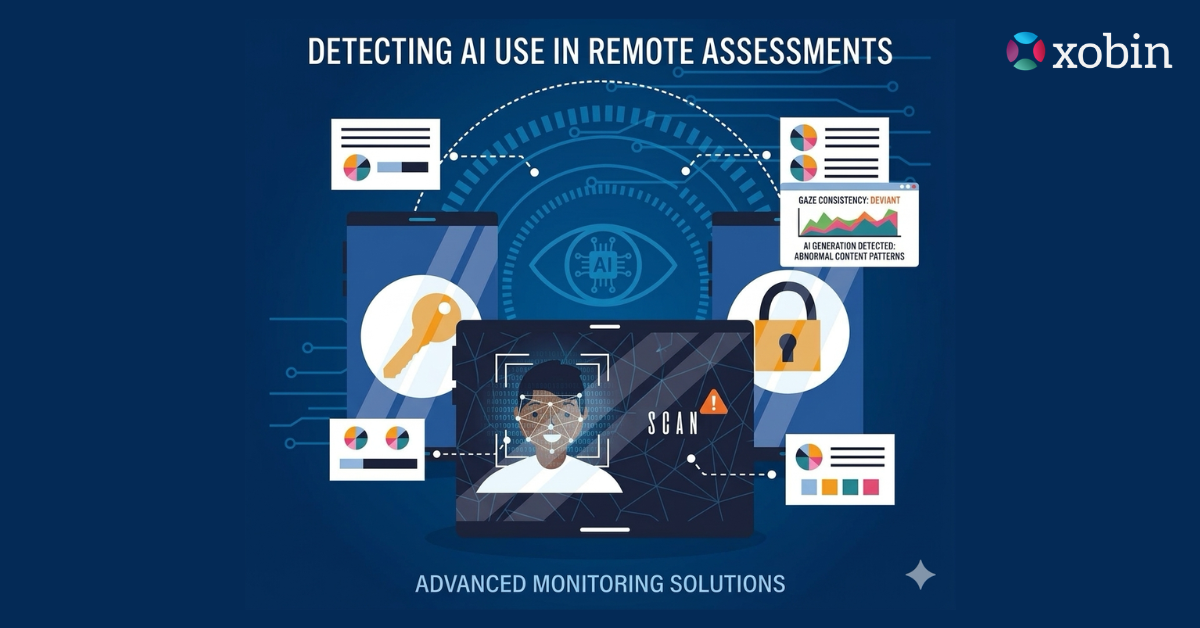
You turned on webcam monitoring. You thought that was enough.
Here’s the uncomfortable truth most hiring platforms won’t tell you: webcam monitoring, on its own, is one of the easiest safeguards for candidates to outsmart. Not because your proctoring software is broken. The methods candidates now use were designed specifically to avoid triggering it.
This isn’t a fringe problem. According to a 2025 industry report by Fabric HQ, cheating adoption among candidates more than doubled, jumping from 15% to 35%, between June and December 2025 alone. And the trajectory suggests it will be more common than not by late 2026, particularly in technical assessments, as candidates increasingly find ways of cheating to circumvent monitoring technologies and exploit loopholes in the testing process.
The webcam is watching. But the candidate is two steps ahead.
TL;DR – Key Takeaways!
- Candidate cheating during online assessments nearly doubled in the second half of 2025, reaching 35% of test takers (Fabric HQ, 2026).
- Virtual webcam software, GPU-level overlays, and secondary devices are the three most common bypass methods in use today.
- Traditional webcam proctoring alone cannot detect any of these techniques without behavioral AI layered on top.
- Gartner projects 1 in 4 candidate profiles will be entirely fabricated by 2028.
- Multi-signal proctoring, not just webcam feeds, is the only reliable defense.
Why Webcam Monitoring Alone Is Increasingly Meaningless
Most hiring teams picture webcam monitoring as a live eye watching the candidate. In reality, the software is monitoring a video feed, and that feed can be faked, redirected, or rendered useless with tools that cost less than a month’s subscription to Netflix.
The problem isn’t a lack of monitoring. It’s a mismatch between what companies think they’re catching and what candidates have actually learned to hide, such as using various techniques to manipulate their online presence and responses during assessments.
A 2025 study by ResumeTemplates revealed that 7 in 10 recent job seekers admitted they cheated during the hiring process, while 22% specifically targeted online assessments. Moreover, most candidates did not view this behavior as a serious ethical issue. Instead, they considered it a way of “leveling the playing field.”
Think about that for a moment. Nearly a quarter of the candidates who completed your assessment may have had help that your webcam never saw.
The 5 Methods Candidates Use to Outsmart Webcam Monitoring
Here’s what the candidates who beat your assessments actually did and why your webcam didn’t catch it.
1. Virtual Webcam Software (The “Prerecorded Face” Trick)
This one is both simple and terrifying in its effectiveness.
Candidates use software like ManyCam or OBS to intercept the webcam feed before it reaches your proctoring software. Instead of transmitting a live feed, the software replaces it with a prerecorded video of the candidate sitting still, appearing to concentrate. The proctoring system receives a clean, compliant-looking feed. The actual candidate is free to look anywhere: at notes, a second device, or a friend’s screen.
No unusual eye movement. No identity flags. Nothing.
 Pro Tip for Hiring Teams Ask candidates to perform a random, real-time action at the start of the session, wave, hold up today’s newspaper, or say a randomly generated phrase. This immediately breaks any prerecorded feed.
2. GPU-Level Invisible Overlays
This is the most sophisticated method in active use, and it’s what keeps enterprise security teams up at night.
These tools integrate directly with a computer’s graphics pipeline. Using DirectX on Windows or Metal on macOS, they render AI-generated answers as a transparent overlay on the candidate’s screen. When the candidate shares their screen via Zoom or a browser-based proctoring tool, the conferencing software captures everything beneath the overlay. The overlay itself is invisible to screen sharing.
The result? The candidate appears to be staring intently at their code editor while reading AI-generated solutions floating transparently on top. The webcam sees a focused professional. The proctoring system sees a clean workspace.
🤔 Did You Know? Modern AI interview cheating tools cost between $20 and $50 per month and are marketed openly as “co-pilots” and “confidence boosters.” Some have thousands of verified user reviews on public platforms.
3. Secondary Device Positioned Below the Webcam Frame
Old-school in concept, but still devastatingly effective.
Candidates prop a smartphone or tablet just below the webcam’s field of view, usually underneath the laptop screen, angled toward them. The camera captures a clean desk. The candidate reads answers from the hidden device. No software. No technical setup. Just a well-positioned phone.
AI proctoring can flag this indirectly through eye movement that consistently dips downward, a subtle tilt of the chin, or the cadence of reading rather than thinking. But a basic webcam feed? It sees nothing suspicious at all.
4. Virtual Machines Running a Parallel OS
This is the “ghost in the machine” method, technically demanding but used by candidates who know what they’re doing.
A candidate runs two operating systems simultaneously on one computer. The webcam and the proctoring session run on the primary OS. The actual test-taking, with full access to AI tools, browsers, and a remote helper, happens on the virtual machine running invisibly in the background. The proctoring software monitors the primary OS. The cheating happens somewhere it can’t see.
Some candidates go further: they grant a technically skilled friend remote access via TeamViewer or similar tools, so a “ghost coder” is literally navigating the test while the candidate sits in frame looking engaged.
5. Notes and Devices Placed Just Outside the Camera’s View
Simple. Effective. Still wildly common.
Notes are taped to the wall beside or above the monitor, just outside the camera’s angle. A second laptop is positioned to the left or right, behind the edge of the frame. The candidate uses sunglasses to hide eye movement direction.
Research from TestInvite (2025) found that suspicious downward or lateral eye movements are among the top three behavioral indicators that AI proctoring flags, but this analysis requires actual eye-tracking software, not just a video feed.
What Webcam Monitoring Actually Detects (And What It Misses)
A webcam feed is a passive video stream. It records what’s in front of the lens and nothing else. Before we get into solutions, it’s worth being honest about exactly where that boundary sits.
The Detection Gap Is Bigger Than You Think
According to Dobr.AI’s 2025 analysis, nearly 48% of candidates admit to some form of AI-assisted cheating on assessments. Basic webcam monitoring doesn’t dent that number, because it was never built to.
The candidates who pose the highest risk, are technically sophisticated, motivated, and willing to invest time before the test even starts, are exactly the ones most capable of bypassing a webcam feed without leaving a trace. They’ve read the documentation. They know what the software watches and what it ignores.
Why the Feed Itself Is Blind to Most Cheating
A webcam has no visibility into what’s running on the candidate’s system, what processes are active in the background, whether the screen share is showing the real desktop or a sanitized version, or whether the typing on screen is actually coming from that candidate’s fingers. These are not edge cases. They are the default experience for a candidate who spent two hours researching how assessments work before sitting down to take yours.
What webcam monitoring was originally designed to catch is relatively narrow: blatant physical behavior like a second person walking into frame, the candidate leaving their chair, or obvious and repeated off-screen glancing. In a proctored exam at a university testing center in 2010, that was enough. In a remote hiring assessment in 2026, it barely scratches the surface.
The False Positive Problem Nobody Talks About
Here’s the part that rarely makes it into vendor sales decks. Webcam-only proctoring doesn’t just miss genuine cheating. It also flags innocent behavior as suspicious.
A candidate who pushes their glasses up gets flagged for “touching face.” Someone who looks away while thinking gets marked for “gaze deviation.” A parent whose child briefly enters the room faces a potential disqualification. These false flags create legal risk, damage candidate experience, and erode trust in your assessment process, all without catching the candidate who was actually cheating the whole time.
The gap between what webcam monitoring promises and what it delivers isn’t a flaw you can patch with a better camera angle. It’s a structural limitation of relying on a single channel of observation in an environment where sophisticated candidates have already mapped its boundaries.
| Is Your Hiring Process Leaking Real Talent? If you’re relying on webcam-only proctoring, you’re not just risking bad hires. You’re also unfairly flagging honest candidates while sophisticated cheaters sail through. Xobin’s AI-powered proctoring uses 20+ behavioral signals beyond the webcam feed to detect anomalies that matter. 👉 See How Xobin Protects Assessment Integrity → |
The Behavioral Signals That Actually Catch Cheating
Here’s what separates surface-level webcam monitoring from real assessment integrity.
Modern AI proctoring doesn’t rely on the video feed alone. It watches the patterns. Patterns that cheaters can’t hide even when their screen looks clean.
The signals that matter include:
Typing rhythm and cadence
A candidate solving a problem types differently than one reading and copy-pasting. AI models trained on genuine test-taking behavior can detect when keystrokes feel “fed” rather than composed.
Micro-eye movement analysis
Not just “Are they looking away?” but “Where exactly?” Consistently downward glances (toward a hidden phone), lateral movement with a fixed head (reading off-camera notes), or the teleprompter effect of someone reading from an overlay above their screen are all detectable with the right eye-tracking model.
Answer velocity
A candidate who answers a complex SQL problem in 40 seconds when the median is 4 minutes either knows the material exceptionally well or has had help. Speed anomalies, especially early in a test when candidates are usually slower, are high-confidence flags.
Browser and process signals
Tab switches, clipboard events, unusual background processes, and network requests all leave fingerprints that don’t show up on a webcam at all.
According to Fabric HQ’s January 2026 State of Cheating in Interviews report, detection has shifted from tab-monitoring to behavioral analysis using 20+ signals simultaneously. Organizations relying on single-layer monitoring miss the majority of active cheating attempts.
What This Means for the Candidates You’re Hiring Right Now
Let’s sit with this for a second.
If 35% of candidates are actively using tools to bypass monitoring, and your current proctoring only catches the obvious, brazen attempts, what does your recent hire pool actually look like? How many technical roles were filled by people who couldn’t do the work without AI assistance? How many of those people are already on your team?
This isn’t hypothetical. Gartner projects that by 2028, 1 in 4 candidate profiles will be entirely fake. Not embellished. Fake. And a single bad hire costs organizations over $50,000 in direct losses, before you even count the cost of restarting the search, delayed projects, or team disruption.
The hiring floor hasn’t just shifted. It’s cracked.
Pro Tip The most reliable signal of a genuine candidate isn’t a clean webcam feed. It’s consistent behavioral coherence across the entire assessment session. Scores that match behavioral data. Speed patterns that reflect actual thinking. Answers that evolve, correct themselves, and reflect a real human’s reasoning process.The Right Response: Multi-Layer Assessment Integrity
Webcam monitoring isn’t worthless, but it needs to be one layer in a stack, not the whole strategy.
The assessments that hold up in 2026 and beyond combine the following:
- Identity verification at entry (government ID + live biometric match, not just a selfie)
- Behavioral AI monitoring throughout the session (gaze tracking, typing patterns, speed anomalies)
- Screen and process monitoring that goes beyond tab detection
- Question bank randomization so no two candidates get the same test
- Post-test review flags that surface anomalies in hiring manager dashboards
- AI-generated, adaptive questions that change based on answers, making real-time lookup ineffective
The goal isn’t to build a surveillance state. It’s to make assessments worth running. Because a compromised assessment doesn’t just hire the wrong candidate. It rejects the right ones by grading them on a curve they didn’t know existed.
Stop Letting Sophisticated Cheaters Slip Through
The question was never “Is the webcam on?” The question is, what happens in all the places the webcam can’t see?
Candidates who want to cheat have already answered that question. They’ve built tools for it, subscribed to services for it, and shared the methods in communities your hiring team isn’t watching.
The answer isn’t to abandon remote assessment; it’s to stop trusting a single layer of monitoring to carry the entire weight of your hiring integrity.
Your next great hire deserves to be evaluated fairly. Your organization deserves confidence that the assessment results mean something. And the candidates who prepared honestly deserve a level playing field.
That’s what real proctoring is for.
Xobin is an AI-powered talent assessment platform built for modern hiring teams. Our proctoring goes beyond the webcam, with behavioral AI, adaptive questions, and real-time anomaly detection that catches what video feeds miss. Book a personalized demo →
Frequently Asked Questions
Can candidates really fake a webcam feed during a proctored assessment?
Yes, and it’s easier than most hiring teams expect. Tools like ManyCam and OBS allow candidates to replace their live webcam feed with prerecorded video. The proctoring software receives what appears to be a compliant live feed. Without secondary behavioral signals, typing patterns, gaze analysis and process monitoring, there’s no reliable way to detect this from a video feed alone.
What is a GPU-level overlay and how does it bypass screen sharing?
GPU-level overlays render content directly in the graphics pipeline, below the layer captured by screen-sharing software. When a candidate shares their screen via Zoom or a browser-based proctor, the conferencing tool captures the clean workspace. The overlay, which may contain AI-generated answers, is visible only to the candidate on their local display. Traditional screen proctoring cannot detect it.
How common is webcam monitoring bypass in hiring assessments today?
According to Fabric HQ’s 2026 State of Cheating in Interviews report, cheating adoption more than doubled between June and December 2025, reaching 35% of candidates. Sophisticated bypass methods targeting webcam monitoring specifically are now among the most common techniques in technical assessments.
What signals actually detect cheating that webcams miss?
Effective detection relies on behavioral signals: typing rhythm and cadence, micro-eye movement patterns, answer velocity compared to population benchmarks, clipboard and tab events, and background process analysis. Platforms that combine these 20+ signals catch the methods webcam feeds can’t, including overlay tools, secondary devices, and virtual machines.